Beta

Comparison

Truca vs AI video generators

AI video generators such as Runway, Veo and Kling are for footage: realistic shots generated from a prompt or an image. Truca is for animations built from scenes, such as product videos, explainers and motion design, where every word, logo and timing must be exact and stay editable.

Download the beta for Mac

0.4.1-beta.1 · 12 MB · macOS 14 or later · Apple silicon

Facts about AI video generators last checked on November 8, 2026 · Sources

Why choose Truca over an AI video generator

A generator gives you pixels. Truca builds scenes made of HTML and CSS layers that you and your agent can change at any time.

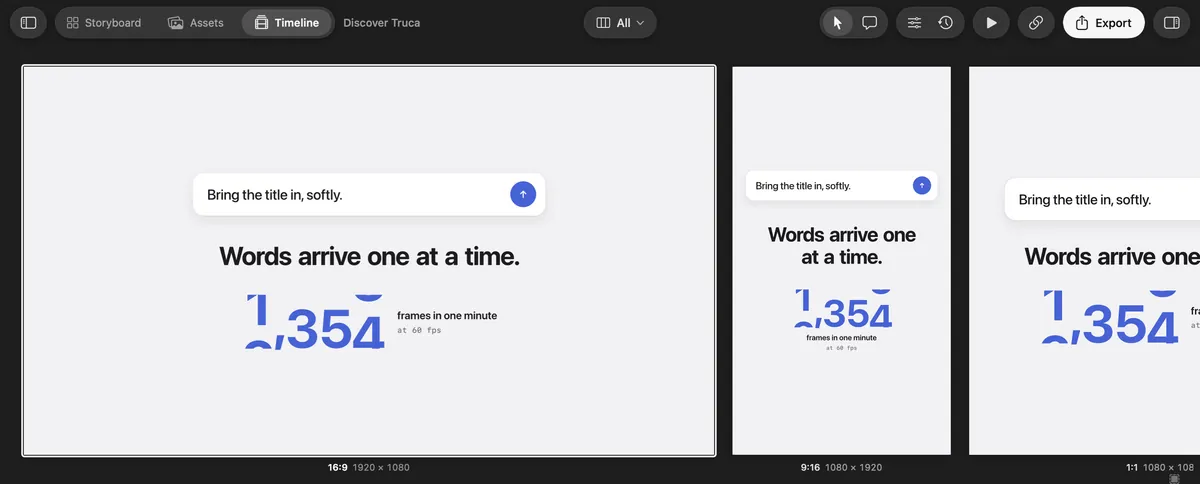
Truca’s All formats view: the 16:9, 9:16 and 1:1 versions of a scene side by side

Every format, without generating again

Unlike a generator, where a 9:16 version means a new generation, a crop or an extended frame, a Truca scene holds its 16:9, 9:16, 4:5 and 1:1 versions. The All formats view plays them side by side, each laid out for its shape, and one change can update them all.

Truca’s Connect an agent screen: Claude Code is connected

Change one word, not the whole video

Text is real text and logos are your own files. Ask your agent, or edit the layer yourself: a price, a headline or a date changes and the rest of the scene stays exactly as it was. Nothing is generated again.

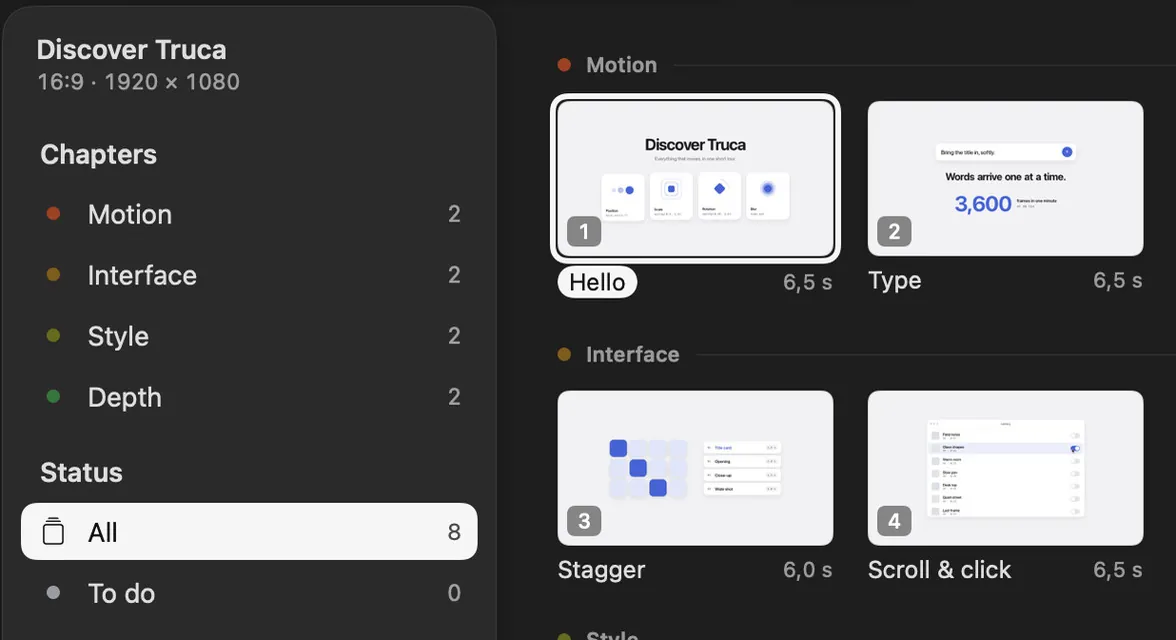
The Truca Storyboard, with scenes grouped by chapter

Rework one scene, keep the others

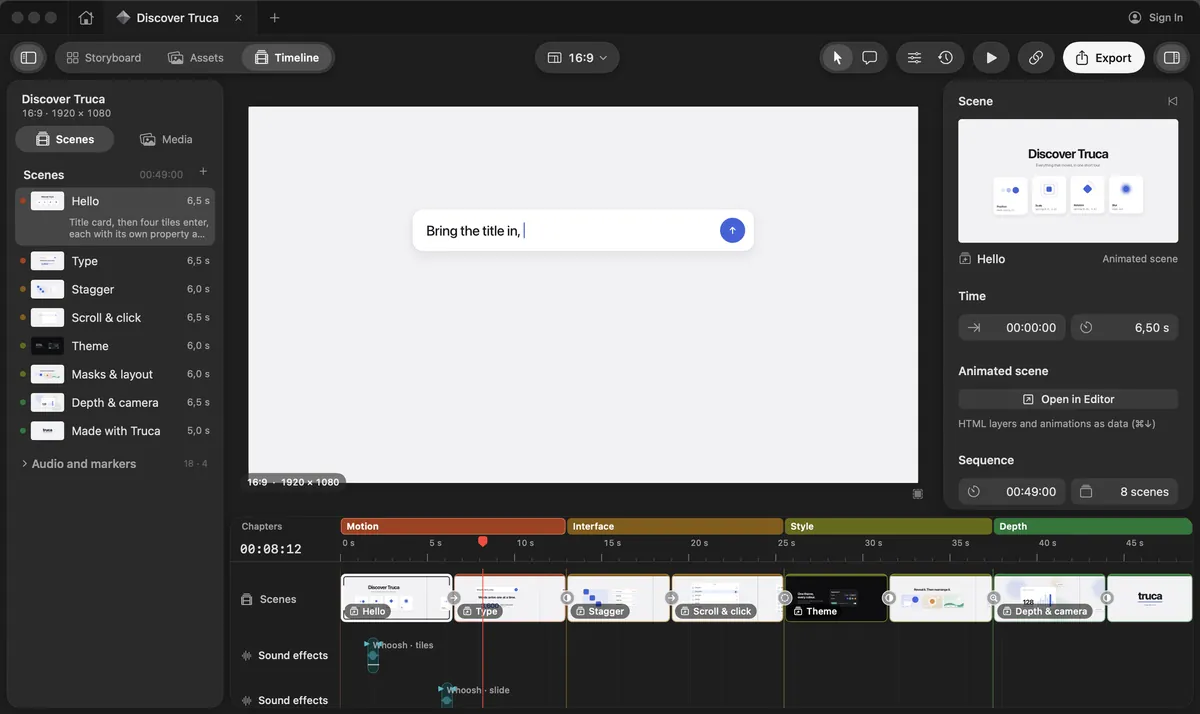
Each scene is its own card in the Storyboard and its own clip on the timeline, with chapters, music and sound effects. Rework one without touching the rest, and retime any animation by hand.

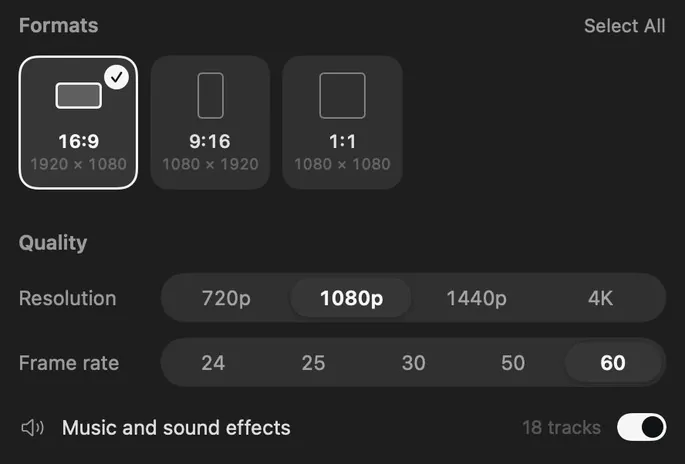
Truca’s export sheet: formats, resolution up to 4K and frame rate

The same project, the same frames

Scenes are rendered by Truca’s engine, not sampled by a model: export the same project twice and you get the same frames, on your Mac, up to 4K in H.264, HEVC or ProRes, with text sharp at every resolution.

Truca and AI video generators, side by side

Where Truca stands out

Truca and AI video generators compared
CriterionTrucaGenerators
Formats while you editTruca stands out: Every format of a scene side by side (16:9, 9:16, 1:1, 4:5…), each at its own resolution, playing together on one timeline; edit them all at once or one at a timeA clip is generated in one aspect ratio; another format means generating again, cropping or extending the frame
Models checkedNo generative model: your AI agent builds the scenes over MCP, with 45 toolsRunway Gen-4.5, and Aleph 2.0 for editing; Google Veo 3.1, followed in the Gemini API by Gemini Omni Flash 1.2; Kling 4.0, launched in October 2026
What you getTruca stands out: A project of HTML and CSS scenes: real text, your own logo files, layers and animations you can editA video file: pixels generated from a prompt, an image or a video, text and logos included
Length and resolutionExport up to 4K in H.264, HEVC or ProRes 422 and 4444Short clips: 3 to 30 seconds for Kling 4.0 in Runway’s API, up to 15 seconds for Gemini Omni Flash; 1080p or 4K for Veo 3.1
Changing one wordTruca stands out: Edit the text layer or ask your agent; the rest of the scene does not moveGenerate the clip again, or rework it with a video-editing model
Changing one sceneTruca stands out: Each scene is separate in the Storyboard and on the timeline; rework one, keep the othersGenerate that clip again; the new take can differ from the previous one
RenderingTruca stands out: Rendered by Truca’s engine on your Mac: the same project exports the same framesGenerated in the provider’s cloud: the same prompt can give a different clip each time
PriceFree during the betaRunway: Free plan with 125 one-time credits, then from $12 a month billed yearly. Gemini Omni Flash in the Gemini API: about $0.07 per second of 720p video

When an AI video generator is the better choice

Generators and Truca do different jobs, and they work well together: a generated clip can go into a Truca project as a video asset.

  • You need realistic footage. People, places and products in real light: a generator shows what HTML scenes can’t.

  • The shot is impossible to shoot. A camera flying through a city or an object that turns into another is what generative models do best.

  • You want a background clip in minutes. A prompt gives you b-roll faster than building it scene by scene.

  • You want sound with the picture. Veo 3.1 and Kling generate audio along with the video.

Other tools: Cavalry, the motion design app bought by Canva, has been free for individuals since April 16, 2026 (version 2.7), on Mac and Windows. You animate it by hand; its site mentions no AI agent.

Need every word exact? Try Truca.

Download the beta, connect the agent you already use and ask it to storyboard your next product animation.

Download the beta for Mac

0.4.1-beta.1 · 12 MB · macOS 14 or later · Apple silicon

The Truca timeline, with the sample project Discover Truca

Questions

Is Truca an AI video generator?

No. Truca generates no pixels: your AI agent builds scenes in HTML and CSS, which Truca’s engine animates and exports. Everything stays editable.

Can I use Runway, Veo or Kling clips in Truca?

Yes. Import a clip as a video asset and place it on the timeline, next to your animated scenes, then frame it for each format.

Which models did you check?

On November 8, 2026: Runway Gen-4.5 and Aleph 2.0, Google Veo 3.1 and Gemini Omni Flash 1.2, and Kling 4.0. The sources are at the bottom of this page.

How much does Truca cost?

Truca is free during the beta.

Sources

Last checked on November 8, 2026

Runway, Veo, Gemini, Kling, Cavalry and Canva are trademarks of their owners. This page compares public information and is not endorsed by them. Spotted something out of date? Tell us and we’ll fix it.