
Work with your agent
Claude Code, Codex, Cursor, Gemini CLI or VS Code connect over MCP and build the animation while you watch every change.
Agentic Video Harness
A native Mac studio where you and your AI agent build animated videos out of HTML scenes.
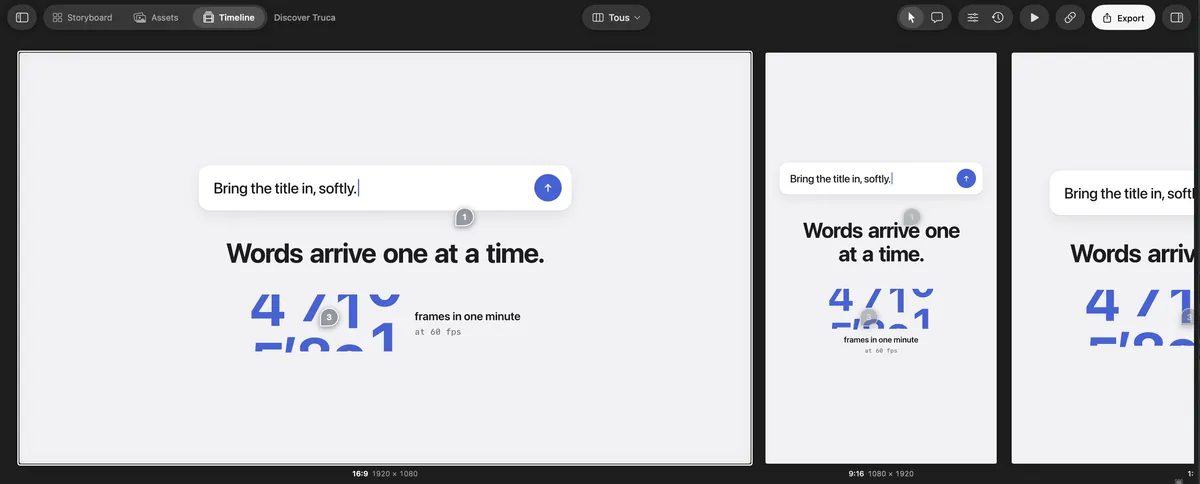
Side by side
Show 16:9, 9:16, 1:1 and the other formats of your video side by side, each at its own resolution, and check them all together as you edit.
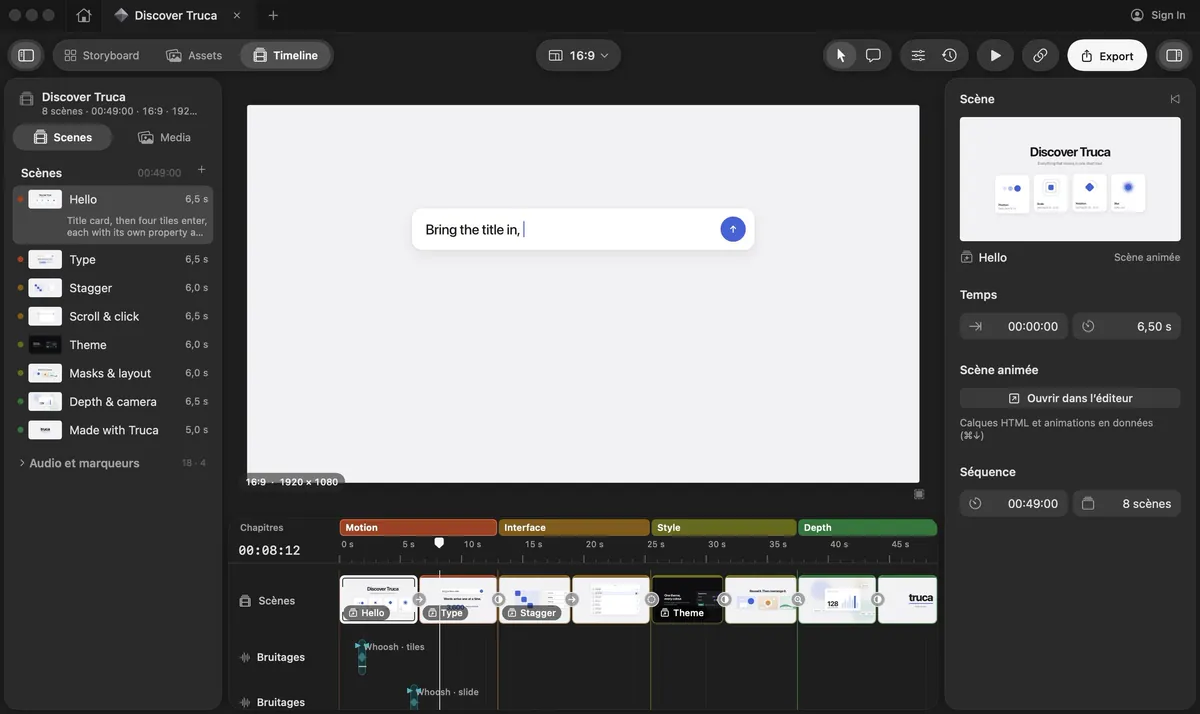
Scenes are HTML and CSS, animations are data. Your agent edits them, you see every change live and fine-tune it by hand.
Claude Code, Codex, Cursor, Gemini CLI or VS Code connect over MCP and build the animation while you watch every change.
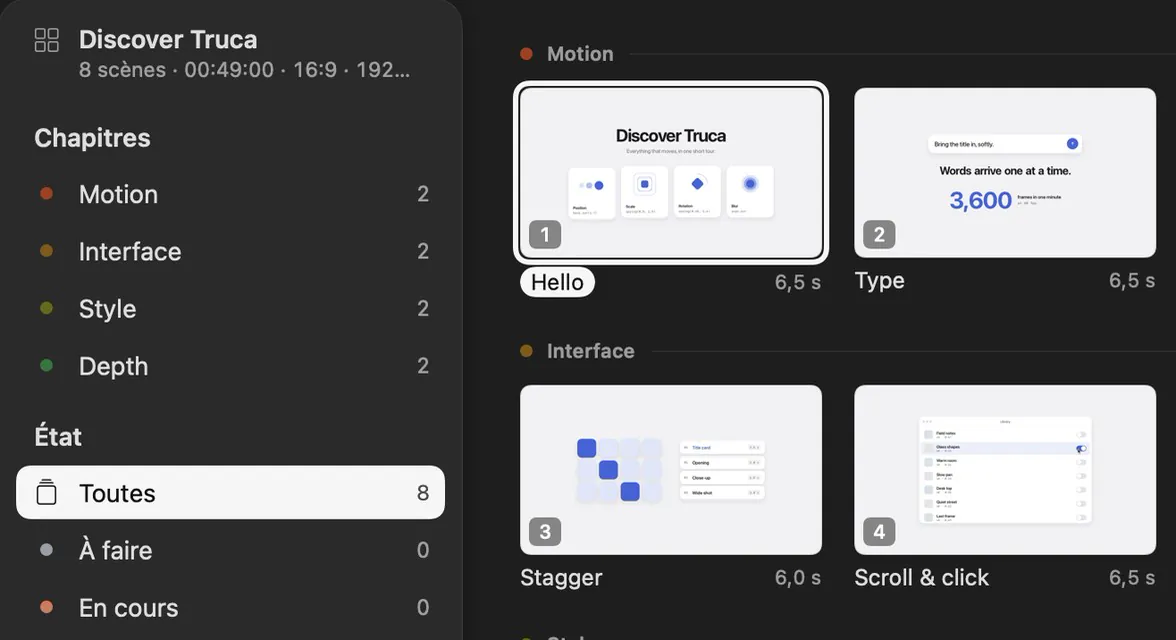
Plan your scenes in the Storyboard, then cut them on a timeline with chapters, music and sound effects.
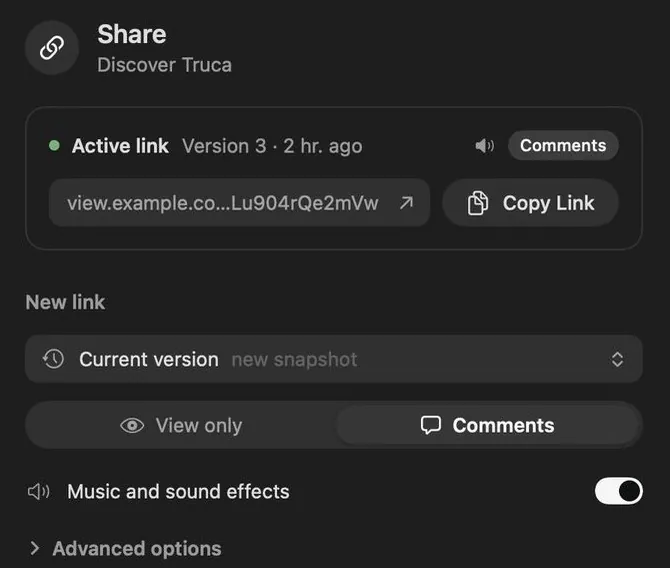
Send a private link. Clients watch in their browser and leave comments, which land back in the app.
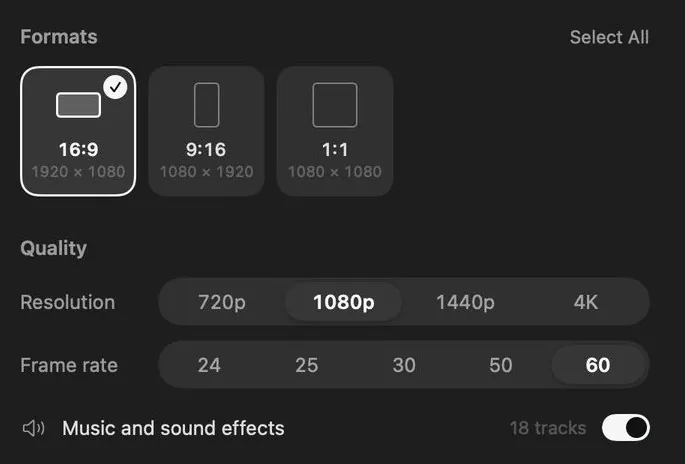
16:9, 9:16, 1:1 and more, up to 4K, in H.264, HEVC or ProRes, from one project.
First launch
Truca isn’t signed by Apple yet, so macOS blocks it the first time. Drag it to Applications, open it once, then allow it in one of two ways. You only do this once.
It’s a beta. Thanks for trusting us with it.
Thanks for trying Truca this early. Here is how to reach us and how new versions get to you.
Bugs, rough edges, ideas. A screenshot or a short video helps us a lot.
Truca checks for new versions on its own and offers to install them and relaunch. No need to come back to this page.
It’s set in Settings › Updates › Receive beta versions. Unticking it never downgrades you: you keep the beta until a newer stable release.