Beta

Comparison

Truca vs Jitter

Jitter is for design teams who animate together in the browser, starting from templates or Figma files. Truca is for people on a Mac who want their coding agent to build a complete animated video, with a storyboard, a timeline and sound, and to send it out for review.

Download the beta for Mac

0.4.0 · 12 MB · macOS 14 or later · Apple silicon

Facts about Jitter last checked on November 8, 2026 · Sources

Why choose Truca over Jitter

Jitter animates designs. Truca makes complete animated videos: scenes, chapters, music and sound, built by the agent you already code with.

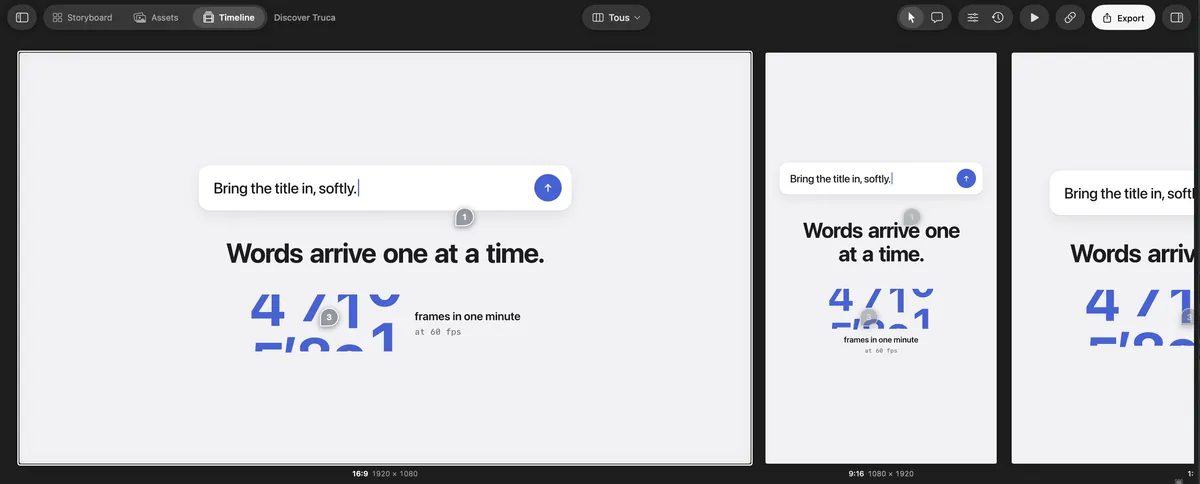
Truca’s All formats view: the 16:9, 9:16 and 1:1 versions of a scene side by side

One scene, every format, one timeline

Jitter’s infinite canvas can hold several artboards side by side, each animated on its own. In Truca, the 16:9, 9:16 and 1:1 versions are the same scene: they play together on one timeline in the All formats view, and one edit can update every format. Export them up to 4K, free during the beta.

Truca’s Connect an agent screen: Claude Code is connected

Built by your coding agent

Claude Code, Codex, Cursor, Gemini CLI and VS Code connect to Truca over MCP and work on the project you have open. You watch every change land, and you can pause the agent at any time.

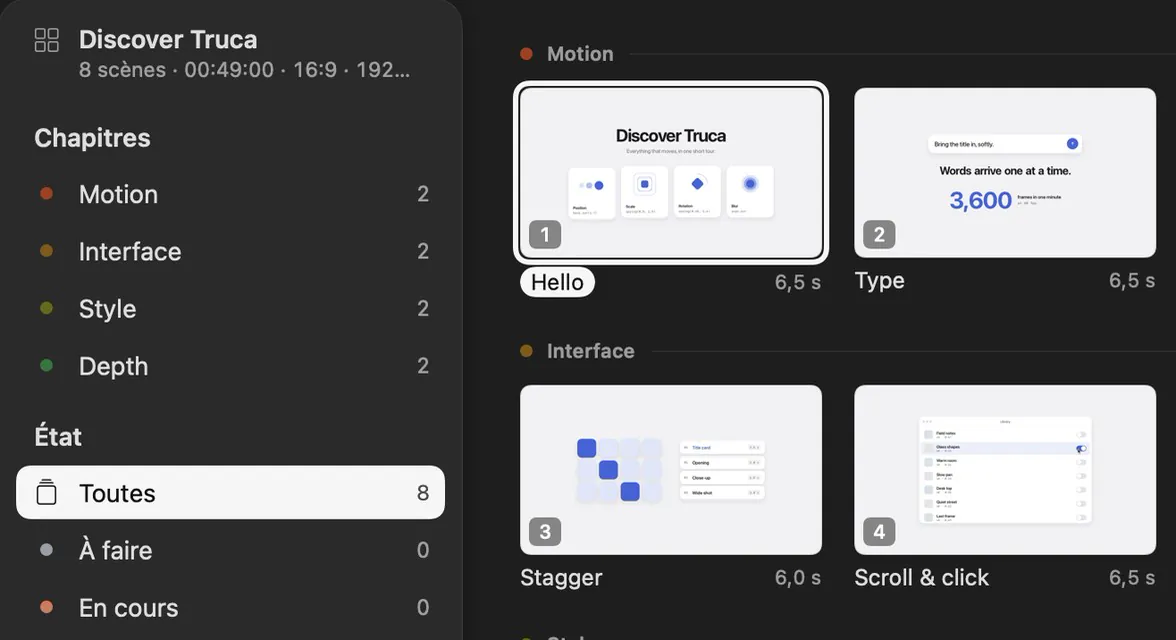
The Truca Storyboard, with scenes grouped by chapter

From storyboard to a finished video

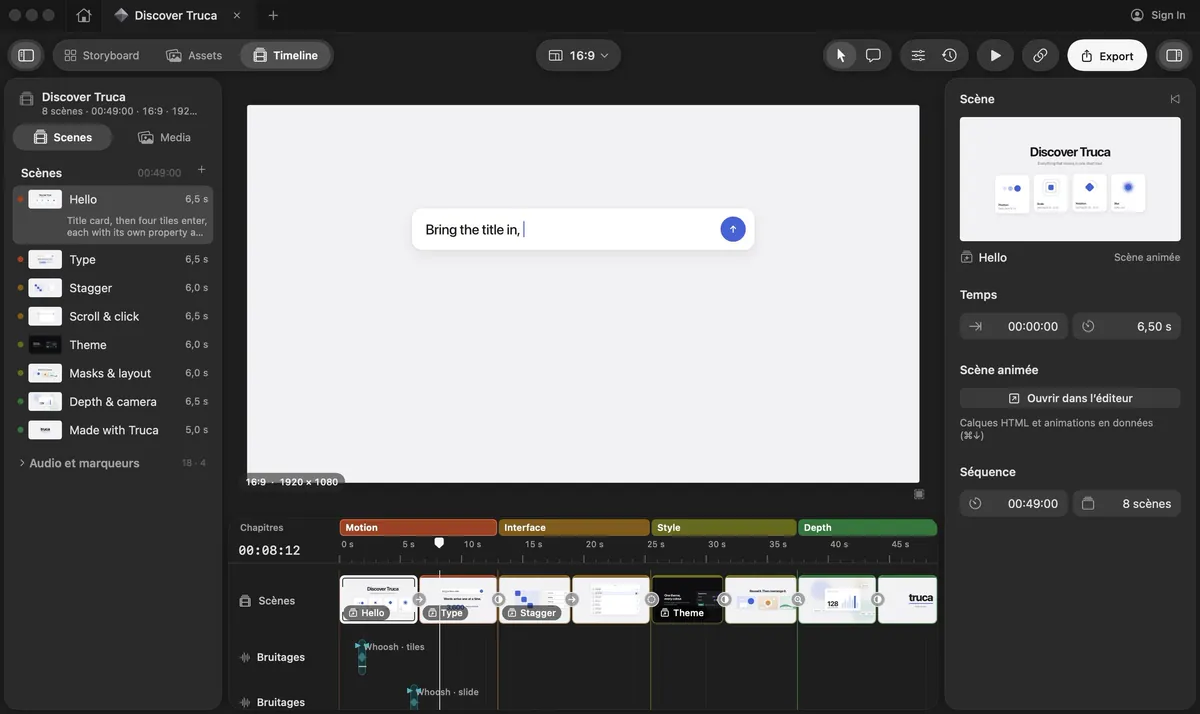
Plan scenes in the Storyboard, then cut them on a timeline with chapters, music and sound effects. The result is a complete video with its soundtrack, not a single loop.

Client comments that reach the agent

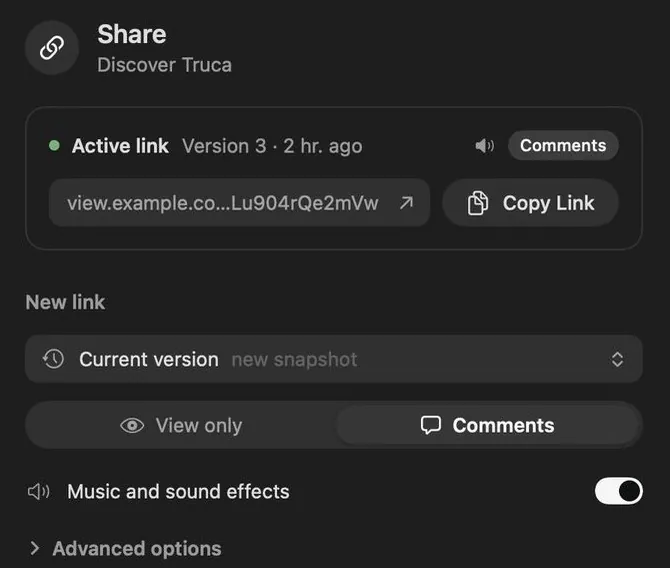
Send a private link with an optional password and expiry. Comments pinned on the frame come back into the project, where your agent can read them and answer.

Truca and Jitter, side by side

Where Truca stands out

Truca and Jitter compared
CriterionTrucaJitter
Formats while you editTruca stands out: Every format of a scene side by side (16:9, 9:16, 1:1, 4:5…), each at its own resolution, playing together on one timeline; edit them all at once or one at a timePartly: several artboards side by side on the infinite canvas, each animated independently
PlatformNative Mac app, macOS 14 or later, Apple siliconWeb app in the browser, nothing to install
What you makeTruca stands out: Complete videos: scenes in a storyboard, cut on a timeline with chapters, music and sound effectsAnimations for products, brands and social media, from templates or Figma imports
AI agentsTruca stands out: MCP server for coding agents: Claude Code, Codex, Cursor, Gemini CLI, VS Code, as well as ClaudeJitter AI in the editor; Jitter MCP in beta since October 20, 2026, for Claude, ChatGPT and Notion
CollaborationTeams and shared projects, saved to the cloud automaticallyShared workspace, real-time collaboration and comments
Client reviewTruca stands out: Private links with password and expiry; comments return to the project and to your agentComments in the shared workspace
ExportTruca stands out: Up to 4K in H.264, HEVC or ProRes, on every account during the betaVideo, GIF and Lottie; 720p on Free, 1080p on Pro, 4K from the Max plan; ProRes and WebM from Pro
PriceTruca stands out: Free during the betaFree plan; Pro from $15 per editor per month billed yearly ($19 monthly); Max and Ultra above; Enterprise on quote

When Jitter is the better fit

Jitter is excellent at what it does. Choose it if these matter more than a video built by an agent.

Want your agent to make the whole video? Try Truca.

Download the beta, connect Claude Code, Codex or Cursor, and open the sample project to see what it can build.

Download the beta for Mac

0.4.0 · 12 MB · macOS 14 or later · Apple silicon

The Truca timeline, with the sample project Discover Truca

Questions

Is Truca a Jitter alternative?

If you want complete videos with sound rather than single animations, and an AI agent to build them, yes. Truca adds a storyboard, a timeline with music and sound effects, and review links.

Does Truca work in the browser like Jitter?

No. Truca is a native Mac app. Only the review links open in the browser, so clients need nothing installed.

Can I export 4K from Truca for free?

Yes, during the beta every export option is available, up to 4K in H.264, HEVC or ProRes.

How much does Truca cost?

Truca is free during the beta.

Sources

Last checked on November 8, 2026

Jitter and Figma are trademarks of their owners. This page compares public information and is not endorsed by them. Spotted something out of date? Tell us and we’ll fix it.